


The best email service for personal use depends on what you value most — convenience, privacy, or both. Here’s a quick breakdown of the landscape in 2026:
Service Category Best For Typical Free StorageEnd-to-End Encryption Mainstream Platforms Everyday use + AI features15 GBNo (in transit only)Privacy-FocusedSecurity + anonymity1 GB+Yes Ecosystem-Specific Device integration5 GB+Partial
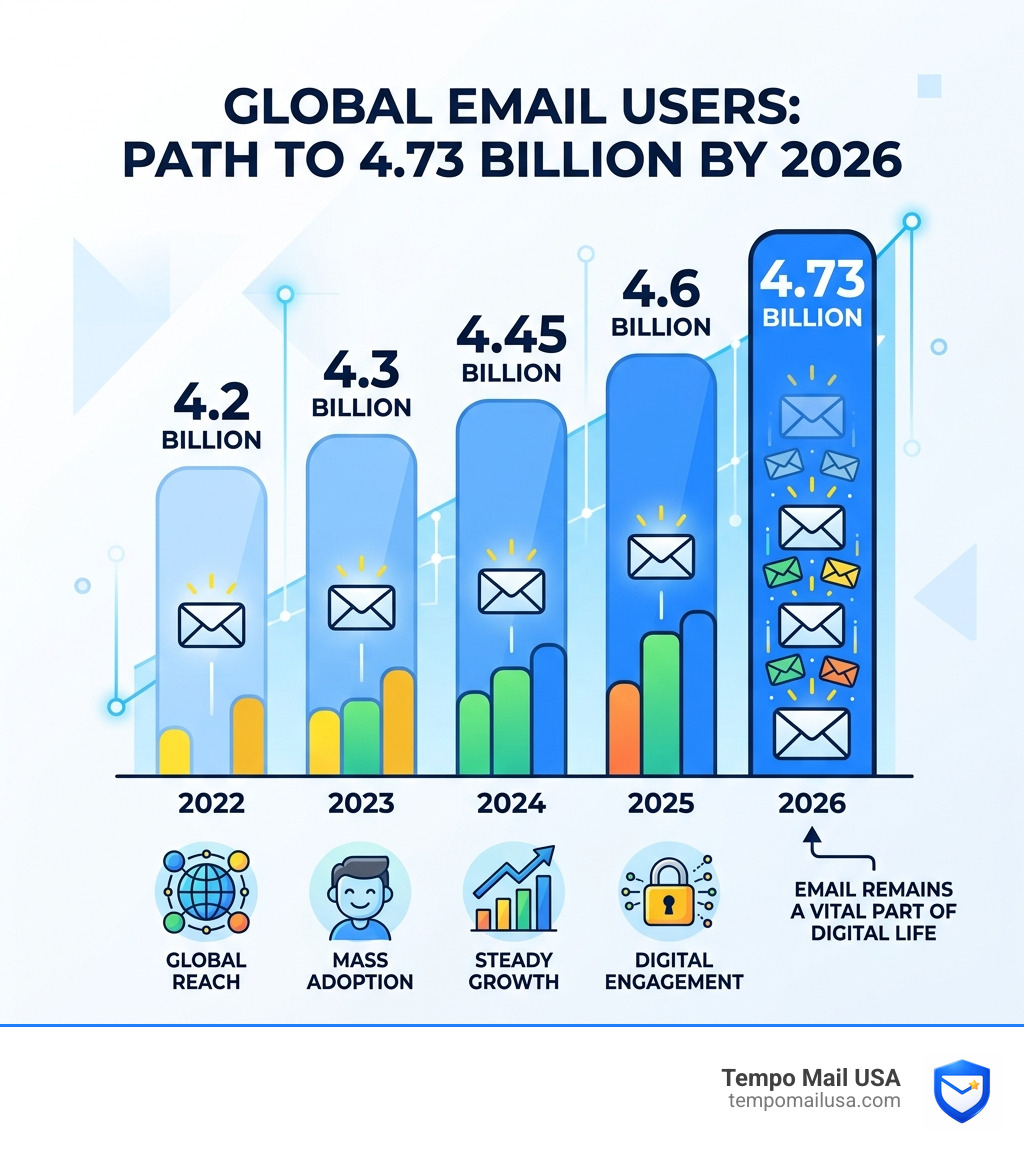
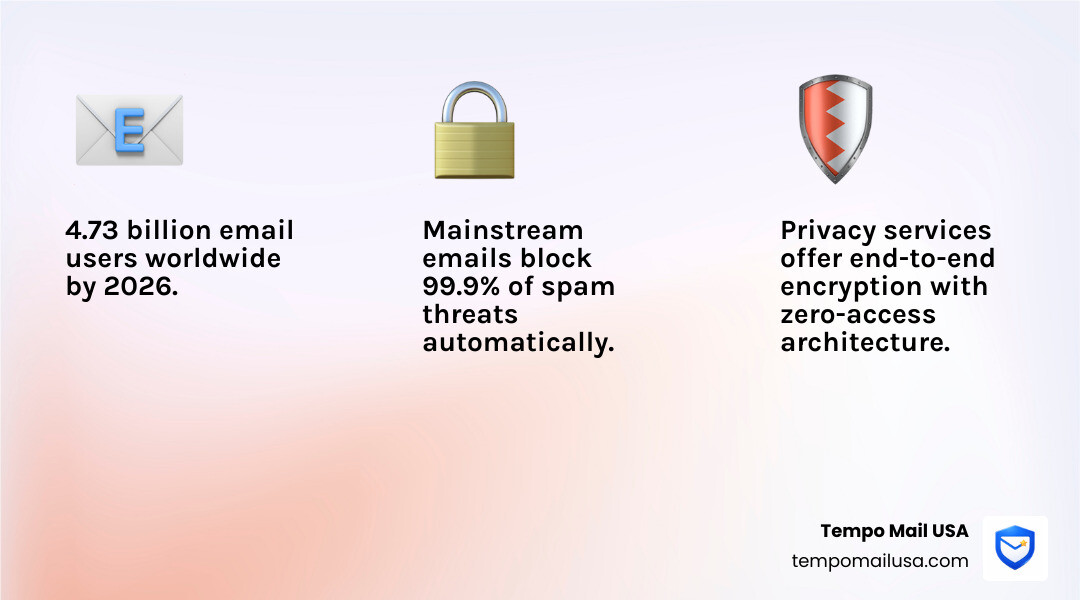
By 2026, there will be an estimated 4.73 billion email users worldwide. Email isn’t going anywhere — but the risks that come with it are growing too.
Every time you sign up for a newsletter, trial, or online service, your personal email address is exposed. That means potential spam, data breaches, and tracking you never agreed to.
The provider you choose determines how much of that risk you carry.
Mainstream options offer powerful features and near-perfect spam filtering — blocking 99.9% of threats. But they come with trade-offs around data privacy that many users are only now starting to notice.
Privacy-focused providers flip that model entirely — putting encryption and zero-access architecture first, so even the provider can’t read your emails. Some of these services now protect over 100 million accounts worldwide.
There’s no single “best” answer. But there is a best answer for you — and this guide will help you find it.

Evaluating the Best Email Service for Personal Use in 2026
As we navigate the digital landscape of April 2026, the criteria for what makes a “good” email service have shifted. It’s no longer just about sending and receiving messages; it’s about how that service fits into your broader digital identity. When we evaluate the best email service for personal use, we look at four pillars: storage, security, usability, and AI integration.
Modern users are increasingly adopting a “Primary vs. Secondary” email strategy. Your primary email is for your bank, your doctor, and your family. Your secondary email-often managed through aliases or temporary services-is for everything else. This helps keep your main inbox clean and your Personally Identifiable Information (PII) safe.
FeatureMainstream ProvidersPrivacy-First ProvidersPrimary GoalProductivity & IntegrationSecurity & PrivacyAI FeaturesAdvanced (Drafting, Summaries)Limited (Privacy-focused)EncryptionTLS (In-transit)End-to-End (E2EE)Data MiningFor profiling/ads (historically)NoneLogin Security2FA, Passkeys2FA, Hardware Keys
For readers who want a neutral overview of how modern email systems work, the Email article on Wikipedia is a useful reference point before comparing personal providers in depth.
Choosing a Secure, AI-Powered Email for Personal Use
In 2026, AI is the biggest differentiator. Leading mainstream services have integrated advanced AI to summarize long threads and draft replies in your specific voice. However, if you prioritize Email Privacy & Cybersecurity, you might find these AI features intrusive, as they require the system to “read” your context to be helpful.
Essential Categories for Personal Email Management


To find the best email service for personal use, you first need to categorize how you use the internet. Most of us fall into three buckets:
- The Ecosystem Loyalist: You use a specific smartphone or OS, so you want the integrated cloud mail client.
- The Productivity Powerhouse: You need your email to talk to your calendar, your notes, and your video conferencing tools.
- The Privacy Advocate: You are tired of being tracked and want a service that legally cannot look at your data.
Community Insights: Choosing the Right Personal Email Provider
Online communities and developers often suggest that the “best” setup isn’t one provider, but a combination. For instance, many users in tech forums report using a mainstream provider for their “official” life while routing all sign-ups through aliases to prevent their main address from leaking in a data breach.
Productivity and Storage in Personal Email Plans
Storage is the currency of the modern inbox. While some providers once famously offered 1 TB of free storage, 2025 saw a massive industry shift where many providers began counting email storage against a shared cloud quota.
- Mainstream Services: Typically 15 GB (Shared with cloud drives/photos).
- Ecosystem Services: Often 5 GB to 15 GB (Plus additional cloud storage).
- Privacy-First Services: Often 1 GB (Free tier), expandable on premium plans.
- Specialized Providers: Some are known for allowing massive attachments up to 50 GB.
If you find yourself constantly hitting storage limits, it might be time to evaluate What is Temporary Email and How It Works. By using temporary addresses for one-off downloads or registrations, you prevent your primary storage from being clogged with “Welcome!” emails and marketing newsletters you’ll never read again.
Privacy Standards and End-to-End Encryption

When we talk about the “safest” email, we are really talking about encryption. Most mainstream services use TLS (Transport Layer Security), which protects the email while it moves from point A to point B. But once it sits on the server, the provider holds the key.
Best Email Service for Personal Use with Zero-Access Architecture
Privacy-focused providers use Zero-Access Architecture. This means the service provider encrypts your data with your password. Since they don’t have your password, they literally cannot see your messages.
This is particularly important for users in jurisdictions with strict privacy laws, such as Switzerland or Germany. These locations offer stronger legal protections against data requests compared to other regions. For those looking to dive deeper into why this matters, The Ultimate Guide to Private Disposable Email explains how to keep your identity separate from your data.
Advanced Security Features for Personal Data
Beyond encryption, the best email service for personal use should offer:
- Two-Factor Authentication (2FA): Support for hardware keys.
- Encrypted Calendars: Because your schedule is just as private as your messages.
- PhishGuard Technology: AI that identifies suspicious links before you click them.
- Anonymous Sign-up: The ability to create an account without providing a phone number.
Understanding Why You Should Use Temporary Email for Safe Signups is a key part of this security layer. Even the most secure inbox in the world can’t protect you if you give your real email address to a compromised website.
The Role of Aliases and Temporary Mail in Inbox Safety
In 2026, the concept of a “single email address” is becoming obsolete. To truly protect your PII (Personally Identifiable Information), you need a firewall. This is where aliases and temporary mail come in.
An email alias is a “proxy” address. You give [email protected] to a store. They send an email there, and it gets forwarded to your real inbox. If that store starts spamming you, or if they have a data breach, you simply delete the alias. Your real email address remains hidden and safe.
This strategy is the ultimate defense against the $200 billion data broker market. By using services like Temporary Email USA – Stop Spam, Protect Your Inbox, you ensure that your primary inbox is reserved for people you actually know.
For those who shop online frequently, the Role of Disposable Email in Online Shopping Privacy cannot be overstated. It prevents retailers from building a cross-site profile of your buying habits.
Frequently Asked Questions about Personal Email Services
Which email service is the most secure for personal use?
For maximum security, privacy-first providers are the gold standards. They offer end-to-end encryption (E2EE) and are often based in countries with high privacy standards. However, “security” also means not getting hacked. Major mainstream platforms offer some of the world’s best account recovery and anti-phishing tools. For the best of both worlds, use a secure provider for your main mail and Use Temporary Email for Safe Online Sign-ups to keep the “junk” away from your secure vault.
Can I get a free email account without a phone number?
Yes, but it’s getting harder. Most mainstream providers require a phone number to prevent bot creation. Privacy-focused services often allow you to sign up without a phone number, though they may ask for a CAPTCHA or a one-time donation to prove you’re human. If you just need to receive a single verification code, Free Disposable Email Addresses – Why Use Them is a great resource for finding no-strings-attached options.
How do storage limits impact personal email use?
Storage limits are the “hidden wall” of free email. A standard 15 GB allocation sounds like a lot until you realize your cloud photos and video backups are eating into it. Once you hit 100%, you stop receiving emails entirely. To manage this, we recommend:
- Emptying your marketing and social folders regularly.
- Using a Best Temp Mail Service for any site that sends heavy newsletters or attachments.
- Offloading large files to dedicated cloud storage rather than keeping them as email attachments.
Conclusion
Finding the best email service for personal use in 2026 isn’t about finding one perfect app—it’s about building a secure system.
At Tempo Mail USA, we believe your real email address is a piece of your identity that deserves protection. By using a mainstream provider for your daily productivity and a privacy-focused provider for your sensitive data, you’re off to a great start. But the missing piece is the “firewall”—using aliases and temporary mail to ensure that your real identity is never exposed to the vast, often-unsecured reaches of the internet.
Whether you’re signing up for a new app, grabbing a discount code, or just trying to keep your inbox at “Zero,” remember that you have the power to control who sees your data.
For more tips on staying safe, check out The Ultimate Guide to Private Disposable Email or visit us at https://tempomailusa.com to start protecting your inbox today.